
The finished video (30 seconds) premieres Saturday on our YouTube channel: https://www.youtube.com/@thecuriositylabai
Total cost of this video: 45 Google Flow credits · 3 clips · about 15 minutes of generation.
You’ve seen these videos everywhere: a worker pours liquid resin on a dull floor, and ten seconds later the room looks like a palace. Most viewers assume it takes a huge team or expensive software. It doesn’t. We make one of these videos every single day for our channel, The Curiosity Lab, using one tool — Google Flow — and a method that never changes.
This is the exact, complete recipe we used for our red, black and gold marble floor video. Every photo, every prompt, every setting. Copy it, paste it, make your own.
What you need
- A Google Flow account (we use the Pro plan — each 10-second clip costs 15 credits)
- 3 photos of your room’s story (we’ll create them in Step 2 — do NOT skip this)
- A free video editor or FFmpeg to join the clips (Step 8)
The golden rule of the whole method: photos first, video second. If you type a text prompt and hope for the best, you’ll get a different room in every clip. The photos lock the room, the light and the characters. The video only adds movement.
Step 1 — Steal a proven concept (legally)
We never invent a concept from thin air. Every morning, we scan what’s already exploding in the epoxy-floor niche and sort by views per day — not total views. A video with 3 million views in 8 days is a much stronger signal than one with 30 million views in a year.
This marble video was inspired by two pours that were taking off:
- « Is This The Most Satisfying Floor Pour Ever? » — Little dreamers Tv — 3,686,441 views · ~460,800 views/day
- « New Floor Coating, 3D Epoxy Flooring, Marble Effect Flooring » — BEST HOME FINDS — 4,583,461 views · ~458,300 views/day
We don’t copy their videos. We take the winning subject (here: a glossy red/black/gold marble pour in a bright room) and rebuild it with our own room, our own worker, our own photos.
Step 2 — Create the 3 anchor photos
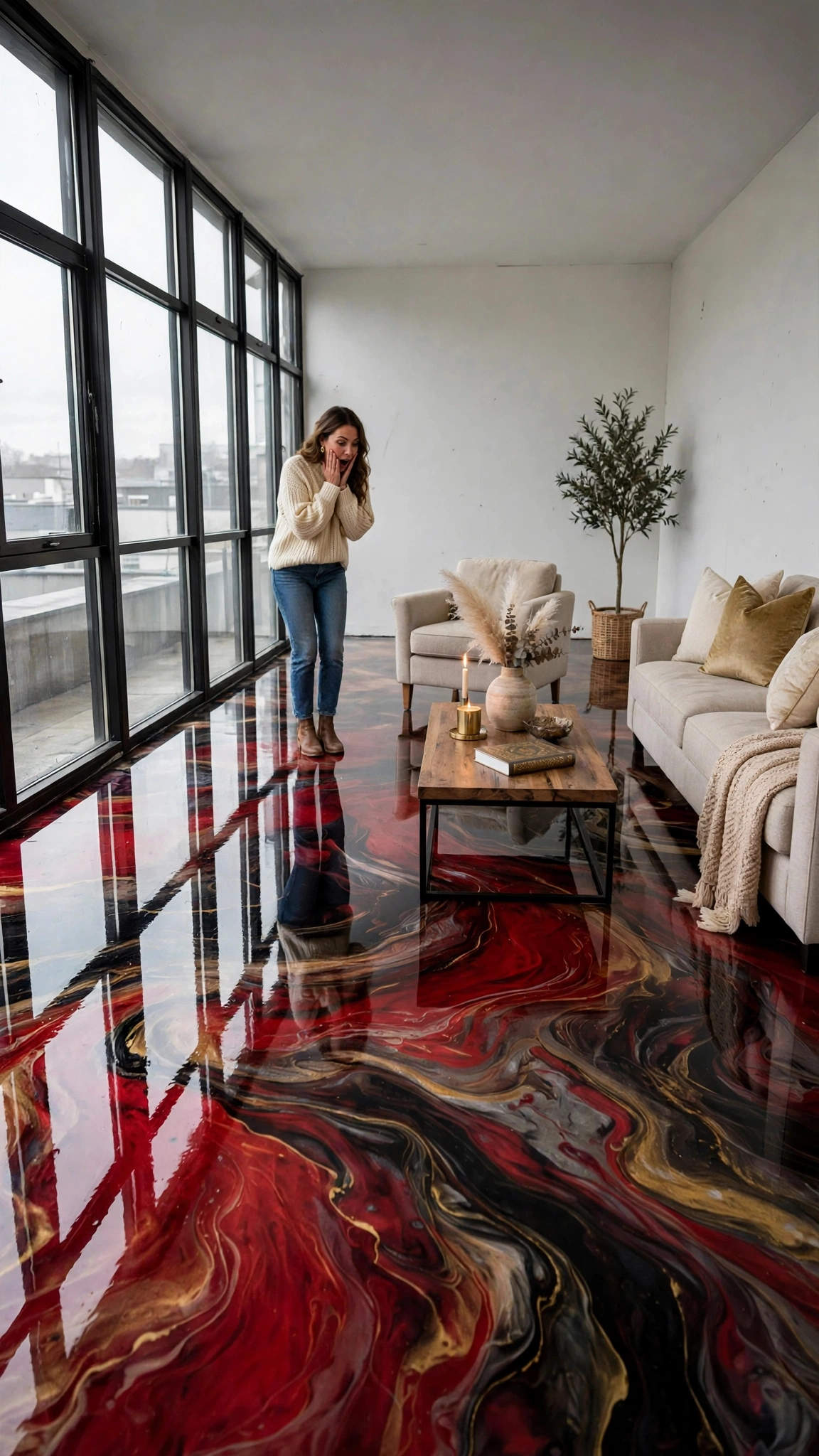
Each photo starts from the previous one, so the room NEVER changes: same loft, same black-framed window wall on the left, same light. Our story needed exactly 3 photos:
Photo 1 — BEFORE. The empty loft: white walls, huge window wall, dull grey concrete floor.
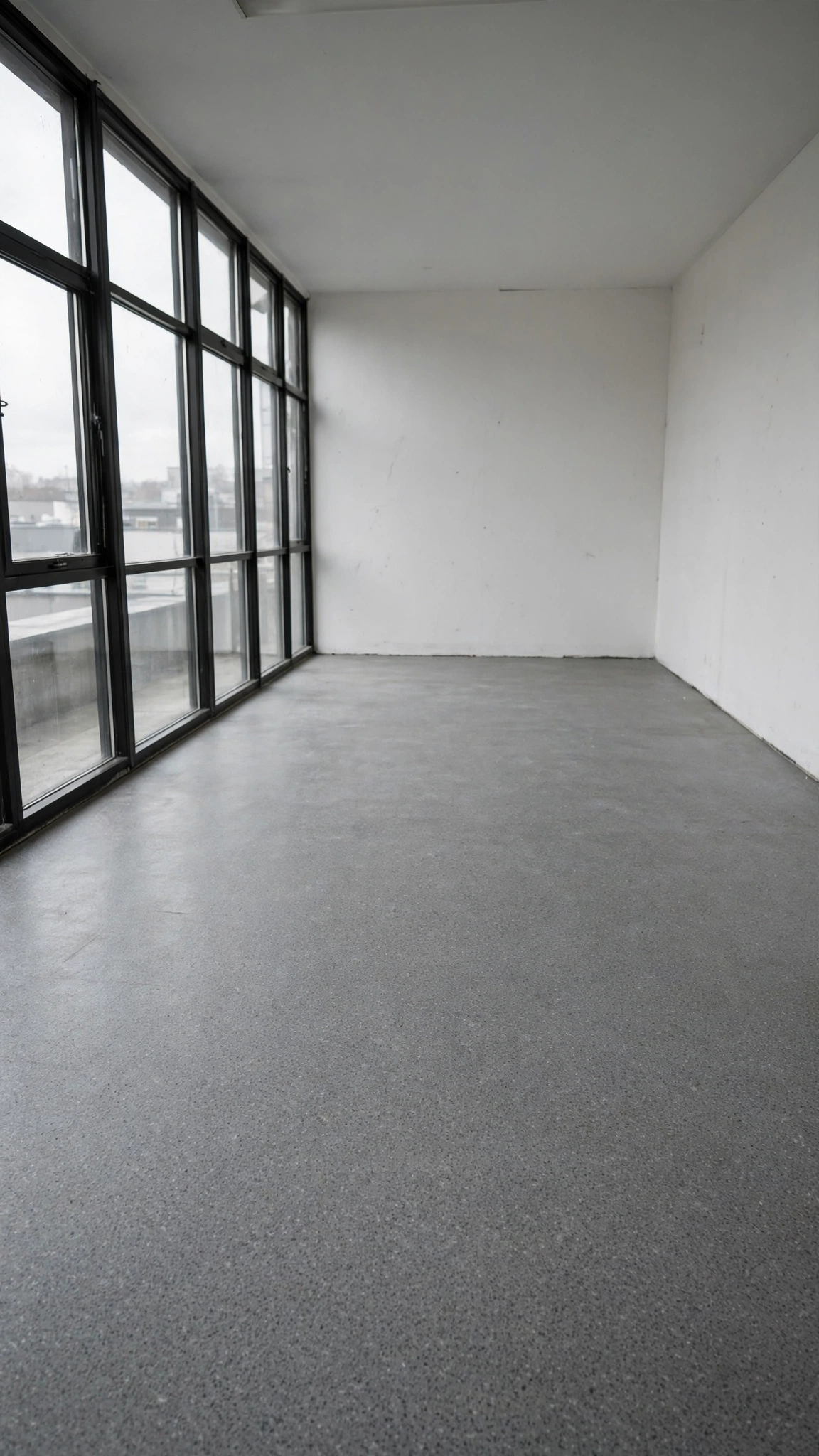
Photo 2 — FURNISHING. The same loft, floor now finished in glossy red/black/gold marble, furniture being carried in.
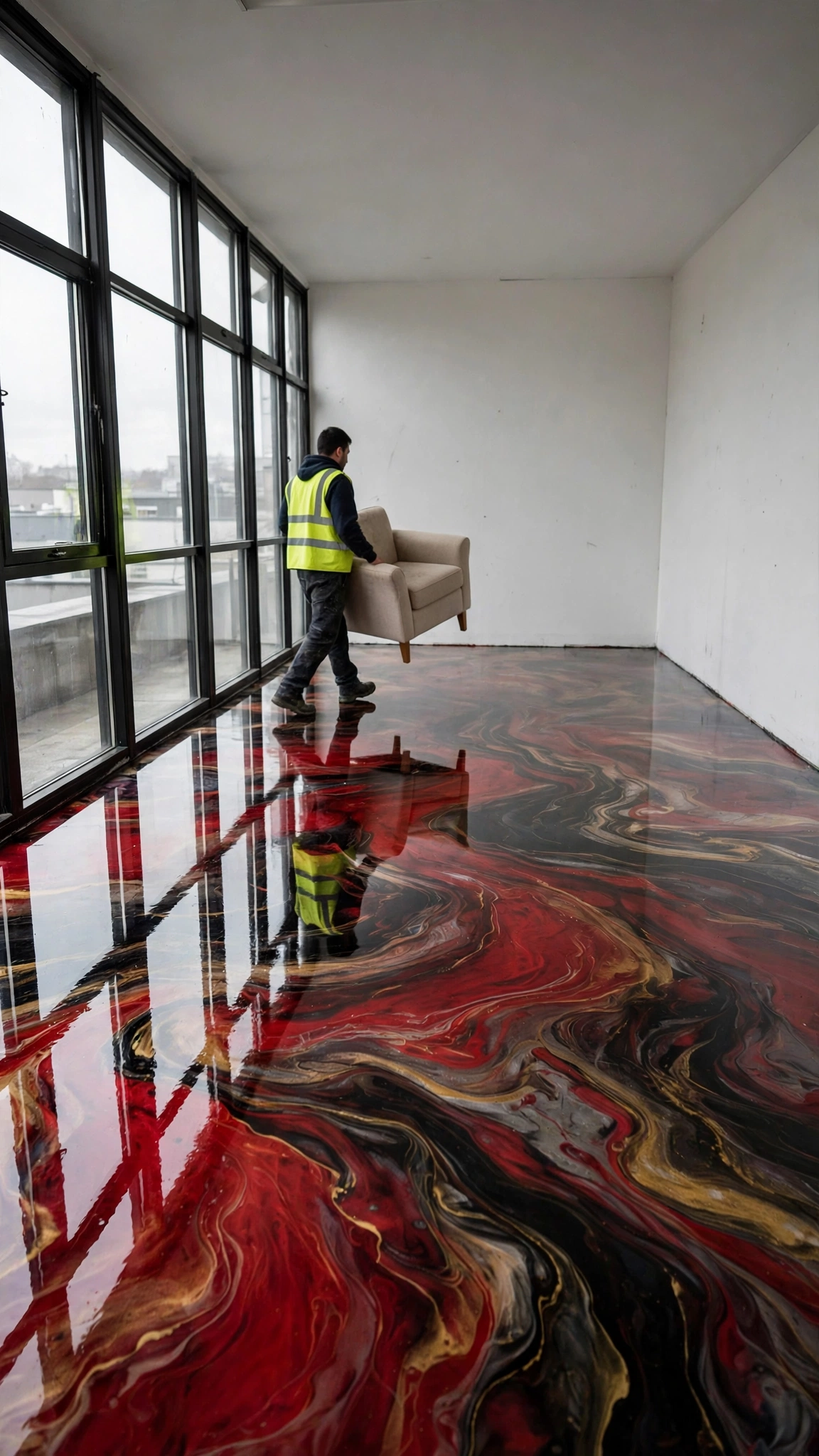
Photo 3 — THE REVEAL. The finished, styled room, ready for the owner’s reaction.
Why no “pouring” photo? Image generators consistently refuse or botch the mid-pour action shot — so we don’t fight them. The pour itself lives inside the video’s movement (Step 4). Photos show states; video shows work.
Canonical description (keep it identical everywhere): large empty loft, white walls, huge black-framed glass window wall on the entire left wall, floor changing from dull grey concrete to an ultra-glossy red/black/gold marble epoxy with mirror reflections. Worker: a man in a yellow hi-vis vest. Owner: a woman in a cream sweater and jeans.
Step 3 — Set up the Flow project
- Open Google Flow and create a new project (ours is called Marble Floor – TCL)
- Model: Omni Flash
- Format: 9:16 vertical · 1 output (x1) · 10 seconds per clip
- You will generate 3 separate clips — one per step below — each with its own photo attached as the ingredient/reference image.
Step 4 — Clip 1: The Pour (photo 1 attached)
This clip does the heavy lifting: sanding, pouring, spreading — the floor may only change where the worker actually works. Copy-paste prompt:
Vertical 9:16 photorealistic video, one single empty loft filmed from a fixed camera angle, white walls, huge black-framed glass window wall on the left, dull grey concrete floor. Sped-up renovation timelapse of real continuous work: a worker in a yellow hi-vis vest enters with buckets, sands the floor with a machine, then pours thick red, black and gold epoxy resin in wide ribbons and spreads it with a squeegee — the red black and gold marble veins form only where he works, wave after wave, until the whole floor is covered, then a final roller pass makes it mirror-glossy. The floor changes only where the worker works, never by magic cuts. Emotional instrumental piano and strings music, no dialogue, no voice, no text, no watermark.Step 5 — Clip 2: The Furnishing (photo 2 attached)
Furniture must be carried in and placed — the moment a sofa “pops” into existence, the illusion dies.
Vertical 9:16 photorealistic video, same loft from the same fixed camera angle, finished glossy red black and gold marble epoxy floor. Sped-up timelapse of real continuous work: the worker in the yellow vest carries a beige armchair across the room and sets it down, then brings in a beige sofa, a wooden coffee table and a potted plant — every piece of furniture is visibly carried in and placed, never appears by magic. He exits the frame at the end. Emotional instrumental piano and strings music, no dialogue, no voice, no text, no watermark.Step 6 — Clip 3: The Reveal (photo 3 attached)
Short and emotional. The reaction is the payoff viewers stay for — but hold it only 2-3 seconds, or the ending drags.
Vertical 9:16 photorealistic video, same furnished loft from the same fixed camera angle, glossy red black and gold marble floor. A woman in a cream sweater and jeans enters, discovers the marble floor, brings her hands to her face, mouth open in amazement, takes a few slow steps on the shiny floor looking at the reflections. Short ending: hold her amazement only 2-3 seconds, slight push-in, end. No long frozen shot. Emotional instrumental piano and strings music, no dialogue, no voice, no text, no watermark.Step 7 — Check every second BEFORE you assemble
Download the 3 clips and build a contact sheet (one frame per second — FFmpeg does this in one command). Look at all 30 frames and check:
- ✅ The room is the same in every frame (windows, walls, light)
- ✅ The floor changes only where the worker works
- ✅ Furniture is carried, never appears by magic
- ✅ The clips are in the right order (this really matters: downloads don’t always come back in generation order — if two clips are swapped, just reorder them in the editor. That repair costs zero credits; never re-generate for an order problem)
Our marble clips passed all four checks on the first try.
Step 8 — Assemble
Join the 3 clips end-to-end — no transitions, no effects. The cuts are invisible because the camera never moves. Final result: 30 seconds, 720×1280, music already inside the clips.
Step 9 — Publish
- Title we used: Her Grey Floor Was So Boring… Then He Poured RED MARBLE on It 😱✨
- The formula: the dull BEFORE state + “Then He…” + the spectacular AFTER in caps + one emoji shock + one emoji sparkle.
- Post it as a YouTube Short on a regular daily slot — consistency beats timing tricks.
The 5 rules that make these videos work
- One room, one fixed camera angle for the entire video
- The floor changes only through visible work — never by magic cuts
- Furniture is carried in, piece by piece
- The reveal is short (2-3 seconds of amazement, slight push-in)
- No text, no voice — music only, so the video works in every country
FAQ
How much does one video cost? 45 Flow credits on the Pro plan (3 clips × 15 credits). We produce one video per day.
Can I do it with a single text prompt? You can try — you’ll get three different rooms and a floor that changes by itself. The photos-first method is the whole secret.
Do I need the same photos? No — you need the same method: a before state, a work/furnishing state, a reveal state, all chained from each other.
What if a clip comes back wrong? Check the contact sheet first. Order problems and small defects are fixed locally for free; only a truly broken scene is worth re-generating.
Watch it, then make yours
👉 Watch our transformations on YouTube: https://www.youtube.com/@thecuriositylabai — the marble video premieres Saturday.
We publish a new transformation every day on The Curiosity Lab — and a new step-by-step breakdown like this one for every video. Follow the channel, steal the method, and show us your floor.
Unofficial guide. The Curiosity Lab is not affiliated with Google or YouTube. Google Flow is a trademark of Google LLC. All prompts, photos and results shown here are from our own production.